
Glivyx for Social Media · by Odo MarketingPlan every post on one calendar.

Plan and schedule posts for your Facebook Page, Instagram, LinkedIn and TikTok from one place, and see what is scheduled at a glance.

Growth: 3 days for $1, then $89 a month. New customers only, renews until you cancel.

  • No demo call needed
  • No setup fee
  • Help from the team that built it

Sell on Shopify? Get it on the Shopify App Store

Content calendar
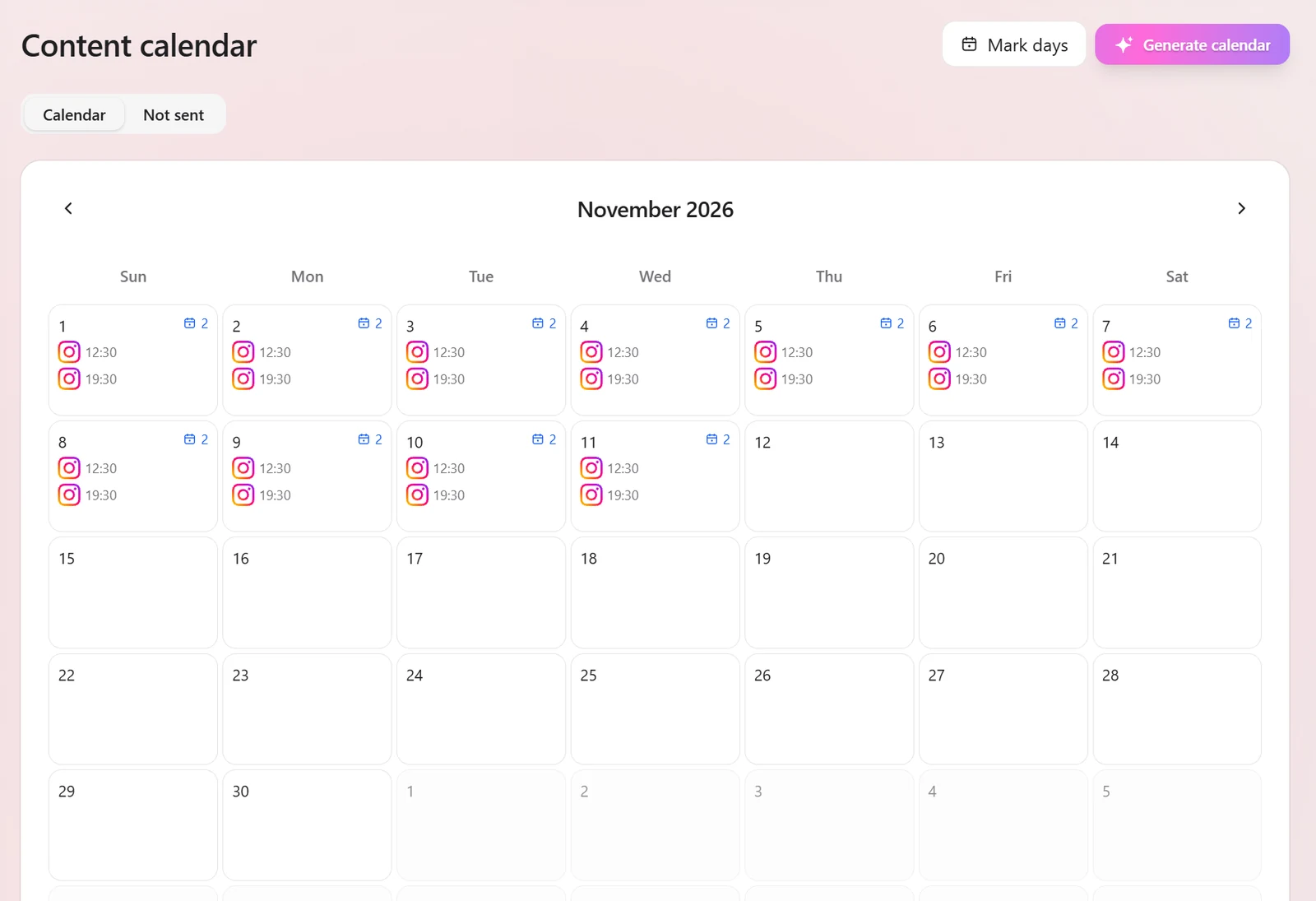
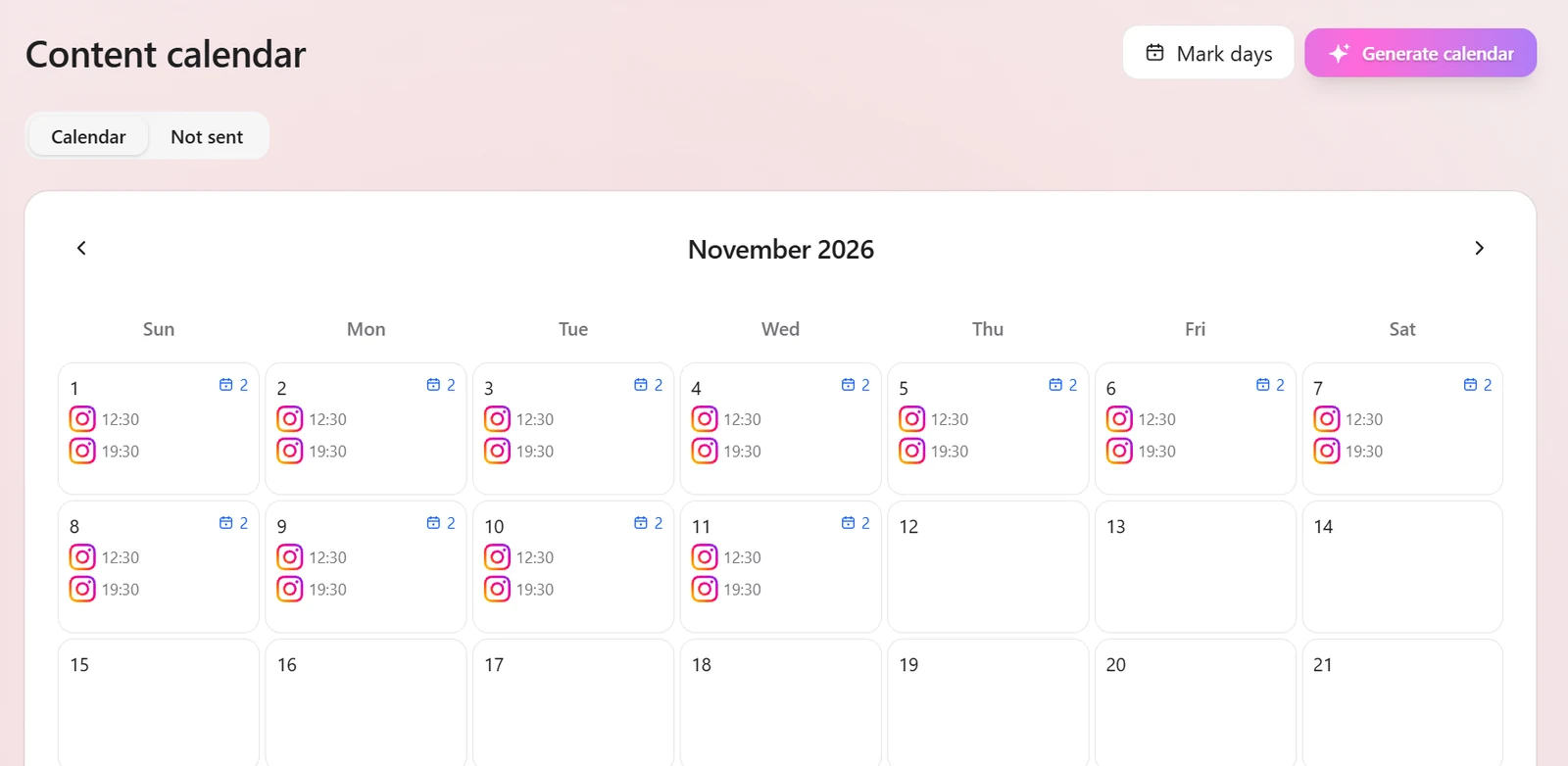
The content calendar for November 2026 in the Odo Marketing workspace, with two Instagram posts a day from 1 to 11 November and buttons for Mark days and Generate calendar.

Pricing

Plans that scale with you.

Pick a plan and start growing today. Upgrade, downgrade or cancel anytime.

Growth

$89/month

3 days for $1, then $89 a month. New customers only, renews until you cancel

Up to 3 AI images during the trial (none if your card has had a trial before). They count toward that month's allowance.

Ideal for growing teams and businesses

  • ✓1 organisation
  • ✓3 team members
  • ✓Facebook Page, Instagram, LinkedIn, TikTok and X
  • ✓60 scheduled posts a month
  • ✓20 X posts a month
  • ✓15 AI images a month
  • ✓1 GB storage
  • ✓Content library
  • ✓AI post writing

Agency

$249/month

Complete solution for agencies and enterprises

  • ✓5 organisations
  • ✓10 team members
  • ✓Facebook Pages, plus one Instagram, LinkedIn, TikTok and X
  • ✓150 scheduled posts a month
  • ✓20 X posts a month
  • ✓30 AI images a month
  • ✓5 GB storage
  • ✓Content library
  • ✓AI post writing

Enterprise

$499/month

Enterprise plan for marketing agencies

  • ✓10 organisations
  • ✓30 team members
  • ✓Facebook Pages, plus one Instagram, LinkedIn, TikTok and X
  • ✓20 X posts a month
  • ✓600 AI images a month
  • ✓150 GB storage
  • ✓Content library
  • ✓AI post writing
  • ✓Autopilot (beta)

Compare the plans

What you getGrowth$89/monthAgency$249/monthEnterprise$499/month
Your workspace
Organisations1510
Team members31030
Scheduled posts a month60150No monthly cap
X posts a month202020
Storage1 GB5 GB150 GB
AI each month
AI images1530600
AI post writing✓✓✓
Studios and tools
Content library✓✓✓
Image Studio✓✓✓
Autopilot (beta)--✓

On every plan: Content calendar, Team roles and post approvals, Likes and comments for Facebook, Instagram and LinkedIn Page posts, Claude connector.

Why it's different

Business features. Small-business price.

The app drafts your posts, ideas and pictures. You check every post before it goes out.

Glivyx for Social Media · Growth

$89a month

3 days for $1, then $89 a month. New customers only, renews until you cancel.

Up to 3 AI images during the trial (none if your card has had a trial before). They count toward that month's allowance.

  • No demo call needed
  • No setup fee
  • 3 people included
  • Facebook, Instagram, LinkedIn, TikTok and X
  • A calendar of posts in minutes
  • Help from the team that built it

Business plans elsewhere

$58–$1,697a month

For 3 people with post approvals, across six well-known social media tools: 4 cost $58 to $98 a month, and 2 cost $1,697.

GlivyxMany other tools
Brand set-up from your websiteIncluded: Name, logo, colours and social links, checked by youNot on their price pages: Not on their price pages
A calendar in minutesIncluded: A batch of posts for the days you pick, up to 30. Nothing is scheduled until you approve itSome, or on higher plans: Some offer AI post ideas
Trending topicsIncluded: Only topics that fit your business, each with a post ideaSome, or on higher plans: Some list trending topics
AI writingIncluded: Every plan, in your brand's voiceIncluded: Usually included, some with monthly credits
AI product picturesIncluded: 15 a month on Growth, 30 on Agency, 600 on EnterpriseSome, or on higher plans: Not always in the plan
Post approvalsIncluded: Every planSome, or on higher plans: Often only on higher plans
Your teamIncluded: 3 people in one price, 10 on AgencySome, or on higher plans: Often charged per person or per account
Shopify appIncluded: On the Shopify App Store. Your products show up when you create a postSome, or on higher plans: Some connect to Shopify
A week planned for youIncluded: Autopilot picks the times, writes, designs and sends the week to you (Enterprise, beta)Some, or on higher plans: Some offer AI helpers with credits
Included Some tools, or higher plans only Not on their price pages

“Many other tools” and the prices above sum up what six well-known social media tools show on their own price pages, checked on 29 October 2026: the cheapest way to get post approvals for 3 people on about four social accounts, billed monthly where they show it, otherwise their yearly price per month. Their prices are converted at the Reserve Bank rate on 29 October 2026 (1 to 1.4178). Their plans include things ours doesn't, and they change, so check before you decide.

Meet Glivyx

AI that plans, writes and schedules your social. You approve.

Glivyx is our flagship AI marketing app. It watches what is rising in your niche, drafts on-brand posts in your voice, and schedules them once you have checked them. Built by Odo Marketing.

FEATURE 01

Broadcast Everywhere.

One composer for your Facebook Page, Instagram (feed posts and Reels), LinkedIn and TikTok, with X on every plan. TikTok videos you post from it go straight to your account, and you choose who can see each one.

FEATURE 02

A Calendar That Drafts With You.

It drafts a batch of posts over the days you pick, up to 30, and nothing is scheduled until you approve it. Once five Facebook or Instagram posts are measured, posting times come from your own results.

FEATURE 03

Performance X-Ray.

See likes and comments for your Facebook Page, Instagram and LinkedIn Page posts in one place, and how each Facebook and Instagram post did against your usual.

FEATURE 04

Command Centre Broadcasts.

Align your entire organisation instantly. Managers can pin campaign updates, deadlines, or strategy shifts directly to the team dashboard. Everyone sees it the moment they log in.

IG
TT
IN
X
FB
YT

Omni-Channel Publish

Example
The app's content calendar for November 2026, with two Instagram posts a day at 12:30 and 19:30 from 1 to 11 November, and buttons for Mark days and Generate calendar.
PerformanceExample
412
Likes
58
Comments
21
Shares
Against your usualAbove
Example
Team Dashboard

Pinned Announcement

New Campaign Starts Monday

Example

What Glivyx does

Create. Plan. Measure.

Your social in one app: Facebook, Instagram, LinkedIn and TikTok, with X on every plan.

Create

Posts written in your voice, not a robot's.

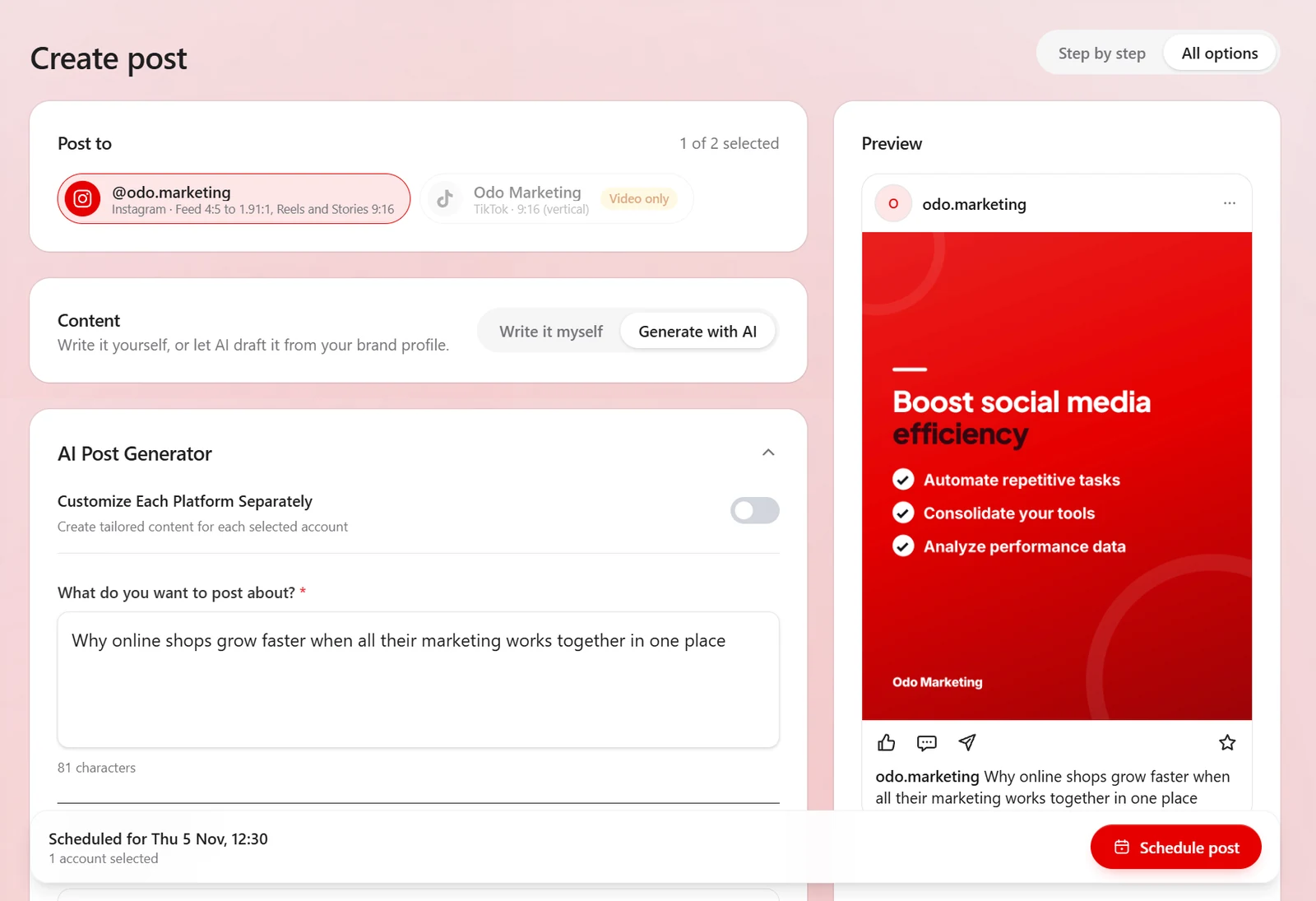
Glivyx reads your brand profile (imported straight from your website, no retyping) and writes with your audience, values and selling points in hand. Turn on per-platform tailoring and one idea becomes a long LinkedIn post, a tight X post and a visual-first Instagram caption, each written for how that feed actually works.

  • ✓Import your brand from your website in one paste: name, logo, colours, socials
  • ✓10 post structures, from frameworks to checklists, matched to your kind of business
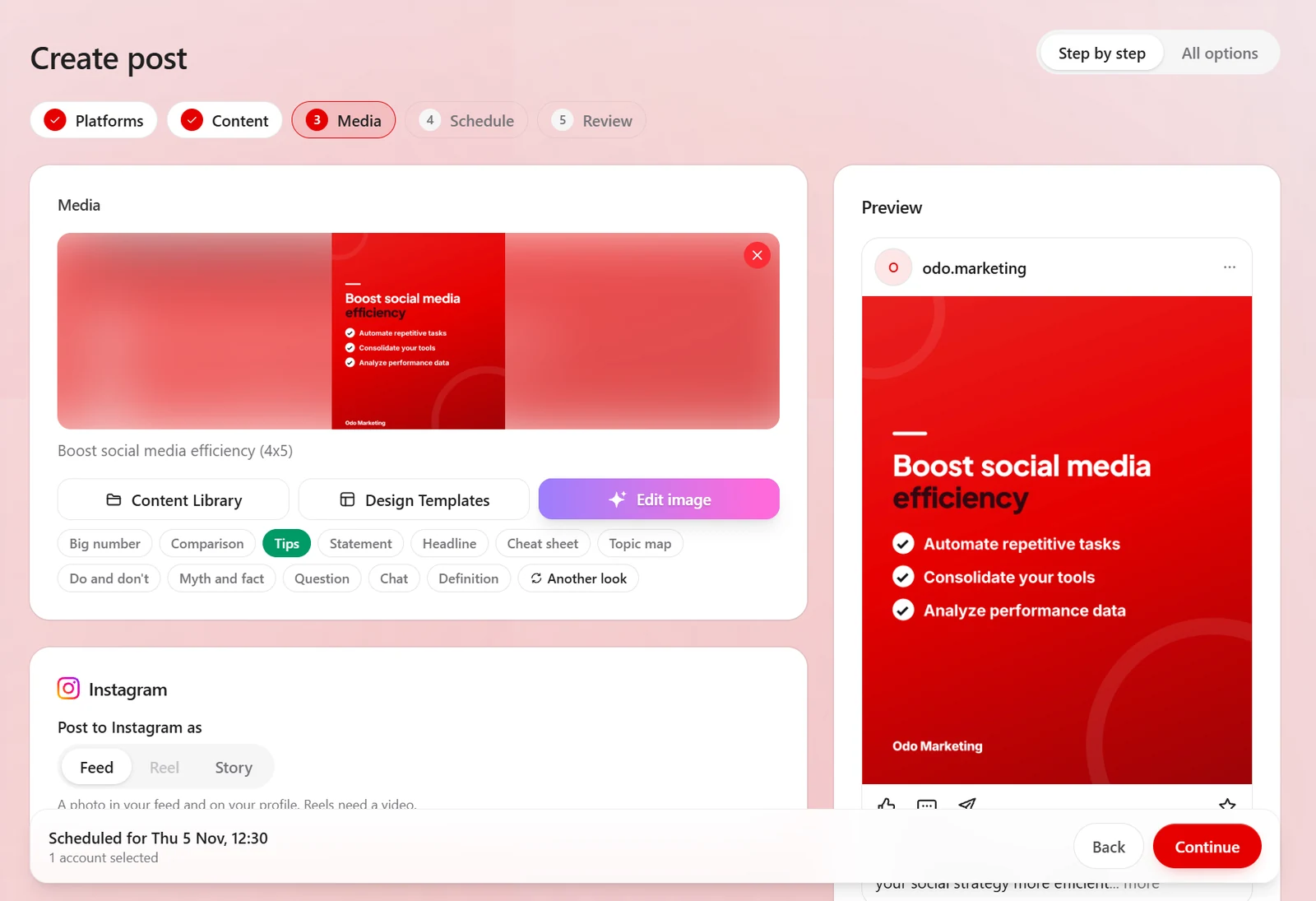
  • ✓12 designed card layouts that set your post's words on a branded card
  • ✓AI photos and image editing on plans that include them
Create post · example · example
InstagramFacebookLinkedInTikTok
UploadDesign graphicAI photo
Generate

Plan

A batch of posts in one pass. You stay the editor.

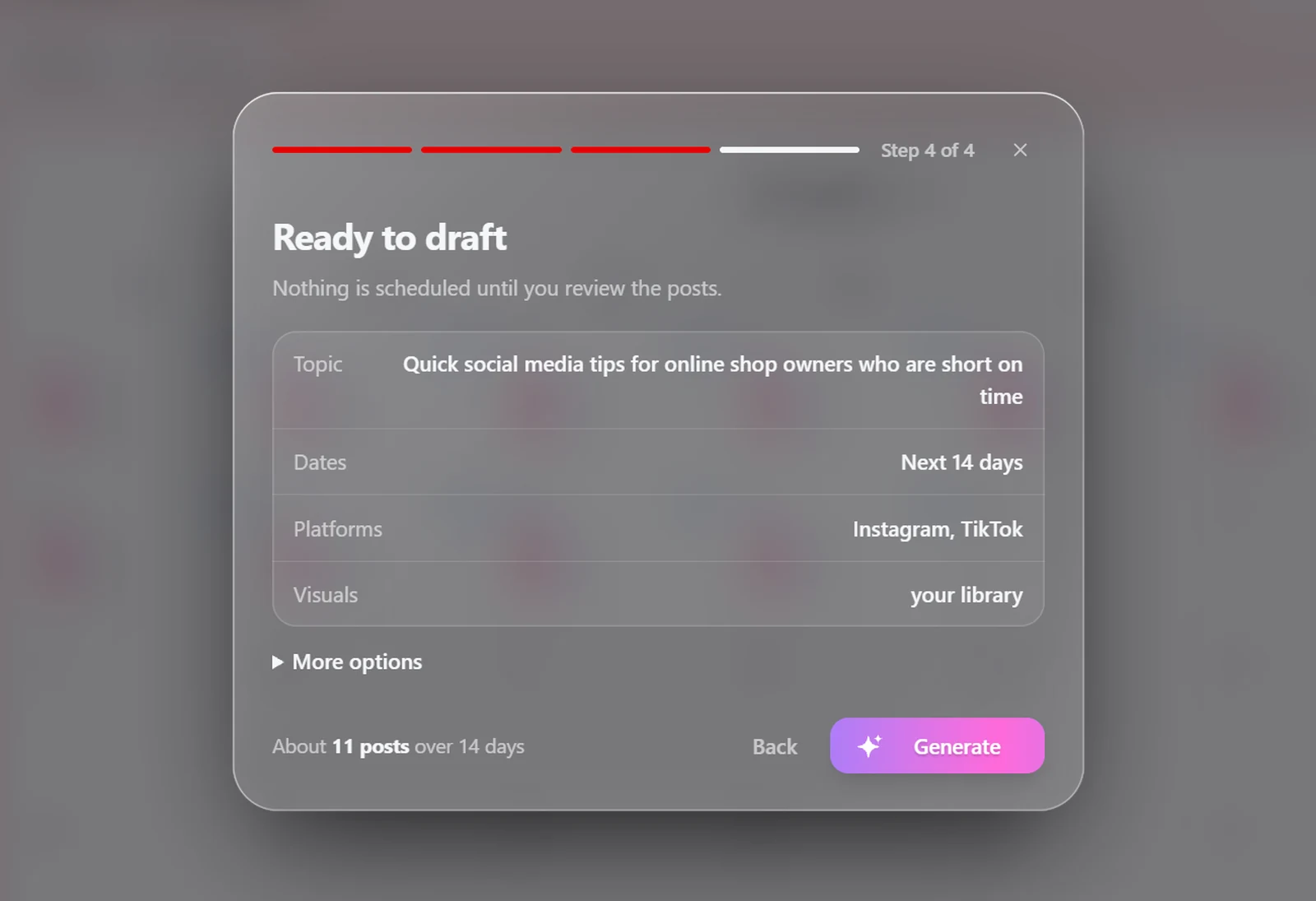
Pick a date range, platforms and a theme, with themes Glivyx suggests for your industry, and it drafts the whole run, visuals included. Nothing is scheduled until you've reviewed it: edit any caption, swap any image, move any date, then confirm.

  • ✓Spread over the days you pick, up to 30 per pass
  • ✓Visuals from your library, designed graphics, or AI: your choice per run
  • ✓Posting times from your own results after five measured Facebook or Instagram posts
  • ✓Teammates' posts can wait for your approval before they go out
  • ✓Every draft editable before anything is scheduled
Content calendar
The app's content calendar for November 2026, with two Instagram posts a day at 12:30 and 19:30 from 1 to 11 November, and buttons for Mark days and Generate calendar.

Measure

Numbers from the platforms, lessons for the plan.

Likes and comments for your Facebook Page, Instagram and LinkedIn Page posts, gathered in one place each time you refresh. Results marks each Facebook and Instagram post against what is usual for your page, and once five posts are measured, generated calendars use the times your audience engaged.

  • ✓Likes and comments for Facebook Page, Instagram and LinkedIn Page posts
  • ✓Each Facebook and Instagram post compared with your usual
  • ✓Posting times from your results feed back into generated calendars
Analytics · example

Likes

Comments

Posting times from your results, after five measured Facebook or Instagram posts.

Under the hood

How the smart parts work.

Rising topics

The app checks live public sources daily: trending searches and this week's popular discussions around your industry and your products. It keeps only the topics that fit your business, so some days there are none. Each topic comes with why it is rising now, a post idea and a few hashtags.

Posting times

When you generate a calendar, posts start at set hours that suit your type of business.

Once 5 of your Facebook or Instagram posts have results, the app moves to the weekday hours when your own posts got the most engagement. An hour needs at least 2 posts before it counts, so one lucky post can't move your whole schedule.

Nothing is scheduled until you approve it.

Results

See likes and comments for your Facebook Page, Instagram and LinkedIn Company Page posts in one place. The numbers update when you press Refresh.

Results shows how each Facebook and Instagram post did against your usual, once the post is 2 days old.

For Shopify stores

Your products, ready to post.

Odo Marketing AI is on the Shopify App Store. Install it, sign in and choose your workspace, and your products are there every time you create a post in Glivyx.

  • Your products in Create post

    Pick a product and post it with its store photo, an AI picture of it in use or an AI close-up. The AI pictures start from your real product photo.

  • Best-sellers marked

    Products that sold best in the last 30 days are marked, so you can post what already sells.

  • Sales inside Shopify

    Revenue, orders, average order value and top sellers for the last 30 days, plus sales by channel and country, in your Shopify admin.

  • Read-only access

    The app can read your products and orders. It can't change anything in your store.

  • On your Shopify bill

    Start from the Shopify App Store and pay for your plan through Shopify.

  • Remove it any time

    Uninstall the app and its copies of your products and orders are deleted.

Everything included

One app for your social.

Each plan sets how much of everything you get. The comparison under the prices shows what each one includes.

AI post generator

Written from your brand profile. You check every post.

Content calendar

A batch of posts drafted in one pass, reviewed by you.

Designed graphics

12 branded card layouts for your posts.

Image Studio

Marketing images from a description.

Content library

Every asset in one place, shared with your team.

Analytics

Likes and comments for Facebook, Instagram and LinkedIn Page posts.

Team & roles

Owner, admin, member, viewer. Per-person permissions.

Your logo in the app

Your organisation's logo in the sidebar and header.

Claude connector

Ask Claude to write, schedule and check your posts.

Autopilot (beta)

On the Enterprise plan: a week planned and designed, waiting for your approval.

Approvals

Swipe to approve, edit or skip posts waiting for your sign-off.

Results

Facebook and Instagram posts marked against what is usual for your page.

Works with Claude

Run your social from a chat.

Add Glivyx to Claude as a connector, then ask for what you need in plain words. Claude does the work in your Glivyx account, and everything it makes is there for you to check or change.

  • Write and schedule posts to your connected accounts
  • See, move or cancel what is already scheduled
  • Make images in Image Studio, on plans that include it
  1. 01

    In Claude, open Settings, Connectors, Add custom connector.

  2. 02

    Paste the address shown in Glivyx's Settings.

  3. 03

    Sign in to Odo, choose the organization and allow.

Needs a Claude account that can add custom connectors. TikTok videos sent from Claude go to your TikTok inbox. You can remove the connection in Glivyx's Settings whenever you like.

Claude
Schedule three posts about our spring sale for next week.
GlivyxChecks which accounts are connected
GlivyxWrites three posts in your brand voice
GlivyxSchedules them for Tue, Thu and Sat, 9:00 am

Next week

M
T
W
T
F
S
S
Done. Three posts are scheduled. You can edit any of them in Glivyx.

This week, 3 days

Autopilot
Mon
Tue
9:00 am
Wed
Thu
12:30 pm
Fri
Sat
6:00 pm
Sun

Approvals

All three approved. They post at the times above.

Autopilot, in beta

A week of posts, planned for you.

Tell Autopilot how many days a week you want to post. It picks the days and times, writes each post, designs the picture and sends the week to Approvals for you to check.

It learns your timing

It reads your Facebook and Instagram results to find the days and hours that work for your page.

Designed, or from your library

It designs a card for each post in your brand colours, or uses pictures from your library if you prefer.

You approve every post

Swipe to approve, edit or skip. Nothing Autopilot writes is published until you approve it.

Autopilot is in beta. It comes with the Enterprise plan. Start with Glivyx

Your next batch of posts is one afternoon away.

Connect your accounts, import your brand, generate a batch, review it over coffee. That's the whole workflow.

Why Glivyx

Made by the people who use it hardest.

Built by an agency, on real campaigns

Glivyx isn't a tool we resell. We built it, and our own team uses it for client work. When something doesn't survive contact with real marketing work, it gets fixed, not documented.

AI where it helps. None where it hurts.

AI drafts your posts. You stay the editor: you check and edit every one, and nothing is scheduled until you confirm it.

It learns your audience, not an average one

Posting times, content themes and post structures all adapt to your business and your results. Two brands on Glivyx get two different playbooks, because they should.

How it works

From idea to scheduled post.

01

Connect your accounts

Link your social platforms and tell Glivyx about your brand, voice and goals.

02

Glivyx learns your niche

It pulls rising topics from live sources and builds content ideas around your brand profile and audience.

03

Generate & schedule

Draft on-brand posts with AI, check and edit each one, then schedule them across your accounts.

04

Measure & improve

See likes and comments on your Facebook Page, Instagram and LinkedIn Page posts. After five measured Facebook or Instagram posts, posting times come from your own results.

FAQ

Glivyx, answered.

What is Glivyx?

Glivyx is a project by Odo Marketing that we started in 2024. It brings together several apps and features for managing your marketing. In 2026 we opened Glivyx for Social Media to everyone, followed by Glivyx for Ads for paid ads, which is open by application. The other Glivyx apps have restricted access: fill in the form on this page to request them and our team will get in touch.

Is Glivyx software or a managed service?

Glivyx is software (an AI marketing app) you can use yourself. If you'd rather have a team run it for you, our Social Media Management service pairs Glivyx with a dedicated Odo strategist.

Which platforms does Glivyx support?

Glivyx posts to your Facebook Page, Instagram (feed posts and Reels), LinkedIn and TikTok. X is on every plan, and each plan shows how many X posts a month it includes. TikTok videos you post from the composer go straight to your account, and you choose who can see each one.

How much does Glivyx cost?

Growth is $89 a month in Australia and $59 in the United States, Agency is $249 a month in Australia and $169 in the United States and Enterprise is $499 a month in Australia and $329 in the United States. Growth starts with 3 days for $1: new customers only, and it renews until you cancel. Up to 3 AI images during the trial (none if your card has had a trial before). They count toward that month's allowance. The plans above show what each one includes.

Can I use Glivyx alongside my own social team?

Absolutely. Invite teammates with their own logins and roles (owner, admin, member or viewer) with per-person permissions on top. Nobody ever needs your platform passwords, and AI drafts stay drafts until a human approves them.

Does the AI post things without my approval?

No. Generated calendars produce drafts you review, edit and confirm before anything is scheduled, and teammates' posts can wait for your approval. Glivyx drafts; you decide.

Is my account secure?

Your social account sign-ins are stored encrypted. Team access works through roles and invitations, so teammates never need your platform passwords.

Can I cancel or change plans later?

Yes. Upgrade, downgrade or cancel any time from Billing. Upgrades apply immediately; downgrades and cancellations take effect at the end of the paid period, so you always get what you've paid for. If you pay through Shopify, change or cancel your plan in your Shopify admin.

Other Glivyx apps

Request access to another app

Glivyx for Social Media is open to everyone. Our other apps are by request. Tell us what you need and our team will get in touch.

No waitlist

Ready to start with Glivyx?

Pick a plan, connect your social accounts and start in minutes.